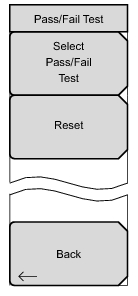
Pass/Fail Test Menu Key Sequence: Measurements > Pass/Fail Test > Pass/Fail Test TD-LTE Pass Fail Mode Menu Select Pass/Fail Test: Press this submenu key to open the Select Pass/Fail Test list box and select a test type. Choose from: PASS_FAIL_RFPASS_FAIL_MOD,PASS_FAIL_ALL. Highlight the desired test with the arrow keys or rotary knob and press Enter to start the test or press Esc to cancel your choice. Note: The current list of pass/fail tests is a default list. Master Software Tools (MST) includes features to create additional pass/fail tests. Reset: Press this submenu key to restart the measurement or to begin a new pass/fail test measurement. Back: Press this submenu key to return to “Measurements Menu”.