|
1.
|
Press the Marker 1 2 3 4 5 6 submenu key so that the desired marker number is underlined. Each press of the Marker 1 2 3 4 5 6 submenu key toggles to the next higher number (cycling from 6 back to 1 again). Press Shift, then the Marker 1 2 3 4 5 6 submenu key to cycle backward through the marker list.
|
|
2.
|
Press the On Off submenu key so that On is underlined. The selected marker is displayed in red, ready to be moved.
|
|
1.
|
|
2.
|
Press the Delta On Off submenu key so that On is underlined. The selected marker is displayed in red, ready to be moved.
|
|
3.
|
Use the rotary knob or the numeric keypad to place the delta marker on the desired offset frequency from the associated reference marker.
|
|
1.
|
Press the More submenu key.
|
|
2.
|
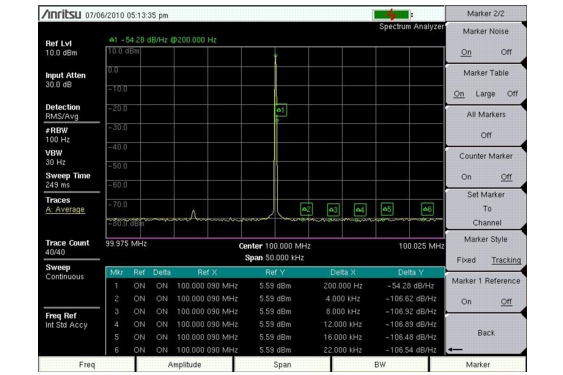
Press the Marker Table On Off submenu key so that On is underlined. All markers and delta marker data are displayed in a table under the measurement graph.
|
 |