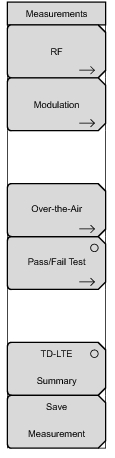
RF: Press this submenu key to display the
“RF Menu” on page 6‑25.
Pass/Fail Test: Press this submenu key to activate the Pass/Fail test. Press key again to display the
“Pass/Fail Test Menu” on page 6‑31 and set up pass/fail testing.
TD-LTE Summary: Press this submenu key to display a table of the TD-LTE measurements. Measurements values are displayed in the table:
Save Measurement: Press this submenu key to save a measurement. You may accept the default filename or enter your own filename. Please refer to your instrument’s User Guide for more information regarding Save Measurement and general file management.