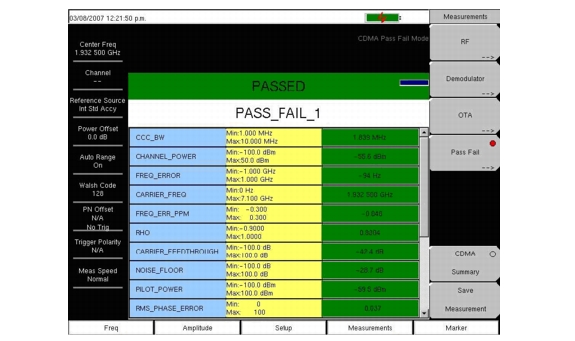
The instrument stores user-defined Pass/Fail criteria for testing base station performance and recalls these models for quick, easy measurements. After selection of a test file, the instrument displays test results in tabular format with clear PASS or FAIL indications that include minimum/maximum threshold.
 |
A custom test list can be created and downloaded into the instrument using Master Software Tools. All critical parameters can be selected for pass/fail testing.
From the Measurements main menu, use the following procedure for Pass/Fail setup:
|
1.
|
Press the Pass/Fail Mode submenu key to display the pass/fail measurements.
|
|
2.
|
Press the Pass/Fail Mode submenu key again to display the Pass/Fail Mode menu.
|
|
3.
|
Press the Select Pass/Fail Test submenu key and select the applicable Test Model to activate the measurement.
|
|
4.
|
Press Reset to reset the pass fail function and begin a new pass/fail test.
|