Spectrum Analyzer Measurement Guide : Channel Scanner (Option 27) : Measurements Menu

Measurements Menu
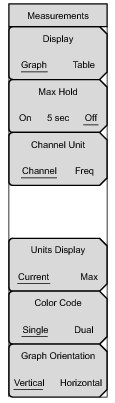
Key Sequence: Measurements
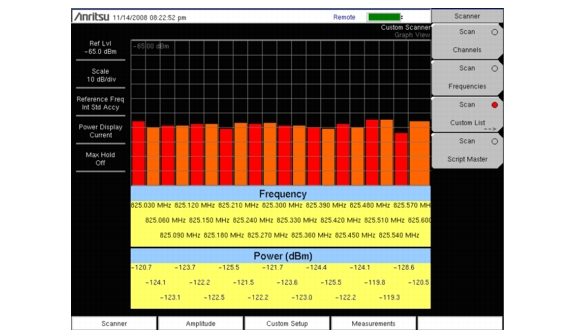
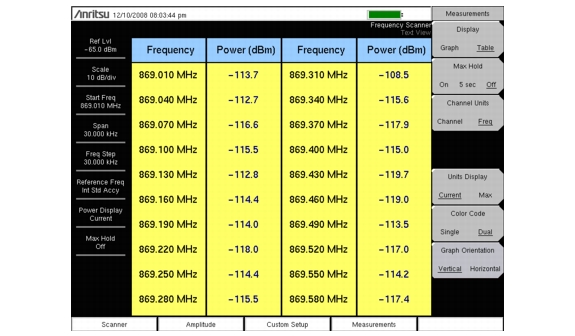
Toggles the display between table and graph formats, see Figure 4‑9 and Figure 4‑10 for examples of the two formats.
Turns on or off small yellow lines for every channel/frequency on the display that indicate the highest level that channel or frequency has reached. The 5 sec option holds the small yellow line at the highest level in the last 5 seconds.
Toggles the display channel units between channel number and frequency.
The current power units are displayed at the bottom of the channels, or the maximum power is displayed (activated only when Max Hold is set to On or 5 sec).
When Graph is selected in the Display submenu, this key toggles the graph orientation between vertical and horizontal.
 
Note 
Screen captured images are provided as examples. Measurement details shown on your instrument may differ from the examples in this user guide


Copyright 2011 Anritsu Company
Anritsu Company
1800-ANRITSU
10450-00034, Rev. A
mmdtechpubs@anritsu.com