Pass / Fail Mode
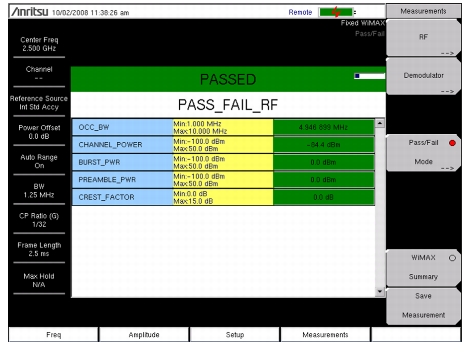
The Pass / Fail mode allows selection of a user‑defined file that specifies a list of measurements with Pass / Fail criteria. This mode sequences through the appropriate measurements and indicates a pass or fail state based on the criteria. By using Master Software Tools, a custom test list can be created and uploaded into the instrument. All critical measurements can be selected for pass fail testing. The results are displayed in a table format with clear identification of Pass / Fail results, including minimum and maximum thresholds and measured results.
|
1.
|
|
2.
|
Press the Measurements main menu key.
|
|
3.
|
|
4.
|
|
5.
|
|
6.
|
Use the Up/Down arrow keys or the rotary knob to highlight the applicable Pass / Fail test on the list, and press the Enter key to select.
|
The sample image in Figure 2‑10 may differ from any image on your instrument.
 |