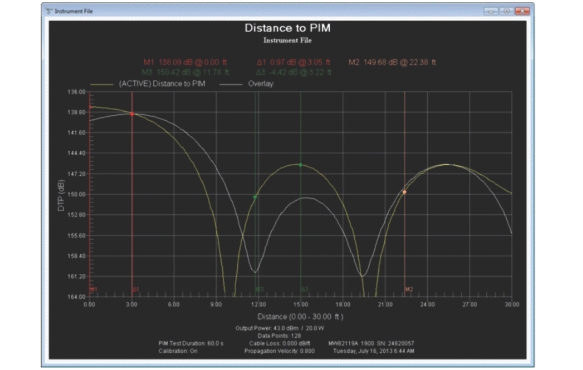
A Distance-to-PIM (DTP) measurement with Trace Overlay and Markers can be captured from a PIM Master into LST.
Distance to PIM Trace Overlay
The Marker toolbar allows you to activate markers within the measurement plot, open the Plot Properties dialog to edit marker properties manually, and toggle the marker table for viewing in the measurement plot.
Activate a Marker
Press the desired marker button to display the marker lines in the measurement display. The marker is a vertical line with a diamond that resides on the trace.
Move a Marker
Place the cursor on the desired marker, press the left mouse button, and drag it to the desired distance.
See following: Edit Markers using the Plot Properties Dialog
Display Marker Table
Press the Marker Table Toggle button to toggle on the dB/Distance values for the active markers.