- 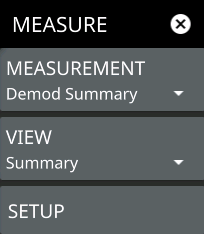 | MEASUREMENT Selects the desired measurement type from the following list: • WCDMA: Displays the current beam measurement status in a quick-view summary that includes the PCI and received power measurement summaries. See WCDMA Demod Summary. • Channel Power: Provides an RF channel power measurement that includes the total channel power, power spectral density (PSD), and pass/fail compliance testing. See WCDMA Channel Power. • OBW: The occupied bandwidth table and channel lines are added to the measurement display. Refer to WCDMA Occupied Bandwidth. • ACP: The ACP table and channel lines are added to the measurement display. Refer to WCDMA Adjacent Channel Power. • SEM: The spectrum emissions mask table and a spectrum mask is added to the measurement display. Refer to WCDMA Spectrum Emission Mask. VIEW WCDMA measurement supports the following two views: SETUP Opens one of the measurement SETUP menus. The WCDMA SETUP menus can be access directly via the SETUP or MEASURE menus after the desired measurement has been selected. The setup menu depends on the current measurement and view selected. |