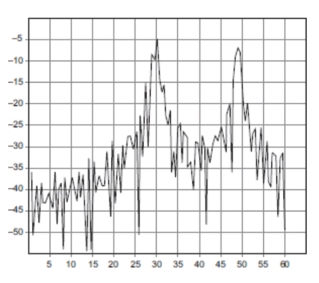
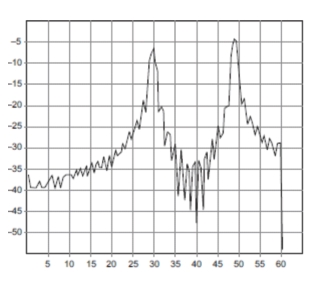
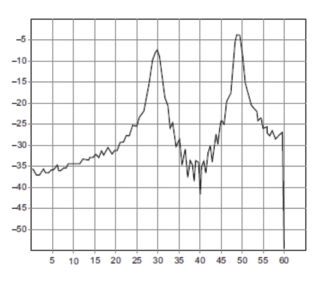
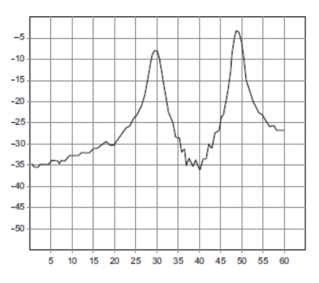
Windowing reduces the side lobes by smoothing out the sharp transitions at the beginning and the end of the frequency sweep. As the side lobes are reduced, the main lobe widens, thereby reducing the resolution. Select the desired measurement plot view.
• Rectangular: Shows the maximum side lobe display and the greatest waveform resolution.
Rectangular View
• Nominal-Side-Lobe: Shows less side lobe than the Rectangular Windowing and more side lobe than Low Side Lobe Windowing. This level of windowing displays intermediate resolution
Normal Side Lobe View
• Low-Side-Lobe: Shows less side lobe than Nominal Side Lobe windowing and more side lobe than Minimum Side Lobe Windowing. This level of windowing displays intermediate resolution.
Low Side Lobe View
• Minimum-Side-Lobe: Shows less side lobe than the other three windowing levels. It also has the lowest waveform resolution.
Minimum Side Lobe View
Copy
To Copy the active measurement plot information to the clipboard, Click Copy in the Edit menu or press Ctrl+C on the keyboard. The data format is set in the Program Preferences dialog under the Clipboard Format tab.