Instrument
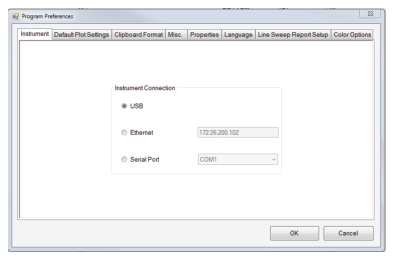
Clicking Instrument in the Settings menu opens the Program Preferences dialog with Instrument Tab active.
Instrument Connection
1. Select the port corresponding to the instrument in use.
• If Ethernet is chosen, enter the IP address.
• If Serial Port is chosen, go to Connection Settings to set up the port.
2. Press OK.
Connection Settings
1. Press the down arrow button in the COM Port: pull down menu.
2. Select the COM port that is in use by the PC. If necessary, view the System Settings in the Windows Control Panel.
3. Press OK.