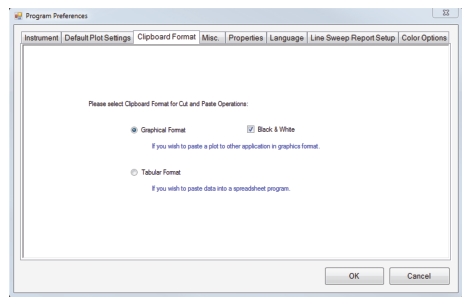
Sets the data type to be copied to the clipboard. It can be either graphical or in tabular format. If Graphical Format is selected you can choose the graph to be displayed and printed in color or black and white. Color is the default setting. To open the Program Preferences in the Clipboard Format tab, click Clipboard Format in the Settings menu.
Clipboard Format Dialog
1. Click either Graphical Format or Tabular Format.
• If Graphical Format is selected, set the print and display to color (unchecked) or Black & White (checked).