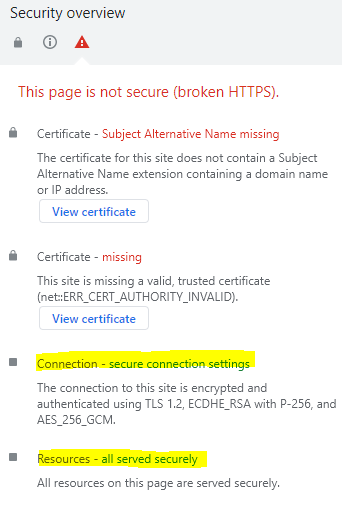
Custom SSL certificates can be uploaded through the System Override interface of the instrument. Custom SSL certificates must contain the private key and the certificate. An improper connection will display a error message in the Security Overview window as shown in Figure: Broken HTTPS Message.
Broken HTTPS Message
Upload Preparation
To prepare to upload, concatenate the key file in PEM format and the cert file in PEM format into one file for upload to the RSM. The resulting PEM file should have two sections demarcated by:
BEGIN RSA PRIVATE KEY – END RSA PRIVATE KEY
BEGIN CERTIFICATE – END CERTIFICATE
System override listens to port 8001 and accepts a range of commands. All commands except a password reset will require the instrument’s password to be sent. The default password for an instrument is the address interleaved with the word “system” between address pairs. As an example, an instrument with the address “1a:2b:3c:4d:5e:6f” will have a default password of “1as2by3cs4dt5ee6fm”.
Transfer a Certificate
To upload and transfer a certificate to the instrument, the following command should be sent to the instrument through port 8001:
If the certificate has been successfully transferred, an “ok” will be sent back as a response. If an error occurred, the instrument will response with “certificate_transfer_fail”. If the command is sent multiple times, the user certificate will be overwritten with the latest one sent.
Delete the Custom Certificate
To delete the custom certificate, the following command can be sent to the instrument through port 8001:
delete_ssl_certificate,< instrument_password >
If the deletion is successful, the instrument will respond with an “ok”. If an error occurred, the instrument will respond with “certificate_delete_fail”. Using the above command will remove the user SSL certificate and the instrument will revert to using a self-signed certificate.
Transfer and Delete Using Python
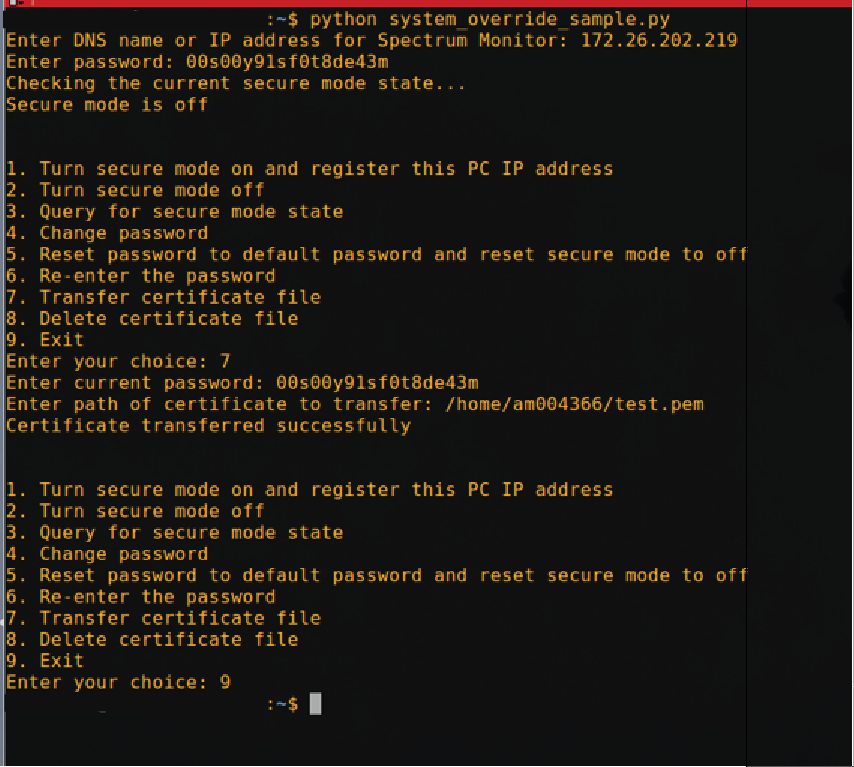
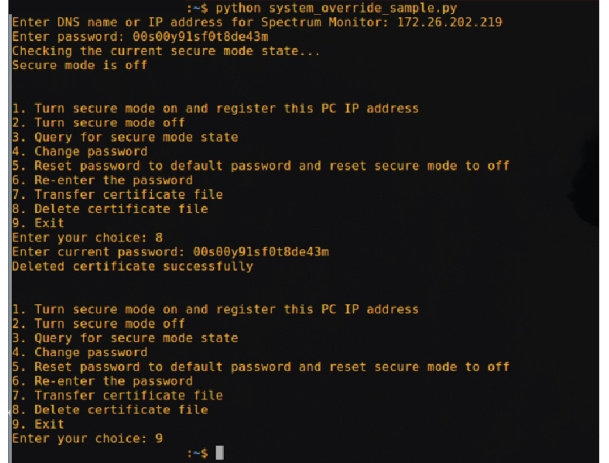
A sample Python program (system_override_example.py) that has the certificate transfer and delete implemented is being provided. The sample program will prompt for the instrument IP, password, and the path to the certificate to be transferred. Once all of the prompts have been answered, the sample program will construct the command as described above and send the information to the instrument IP provided in the prompts.
Figure: Transfer a Custom SSL shows how to use the sample program to transfer a custom SSL certificate to the instrument:
Transfer a Custom SSL
To delete the custom certificate using the sample program, do the following: