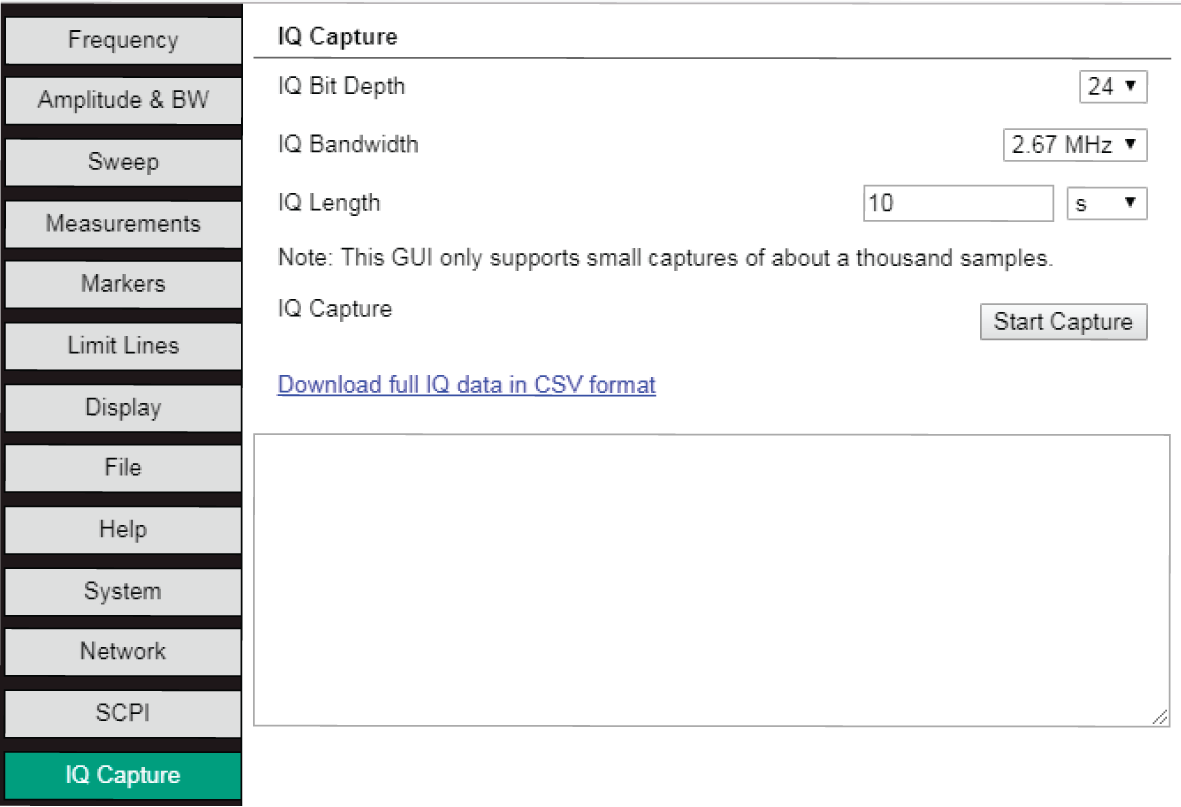
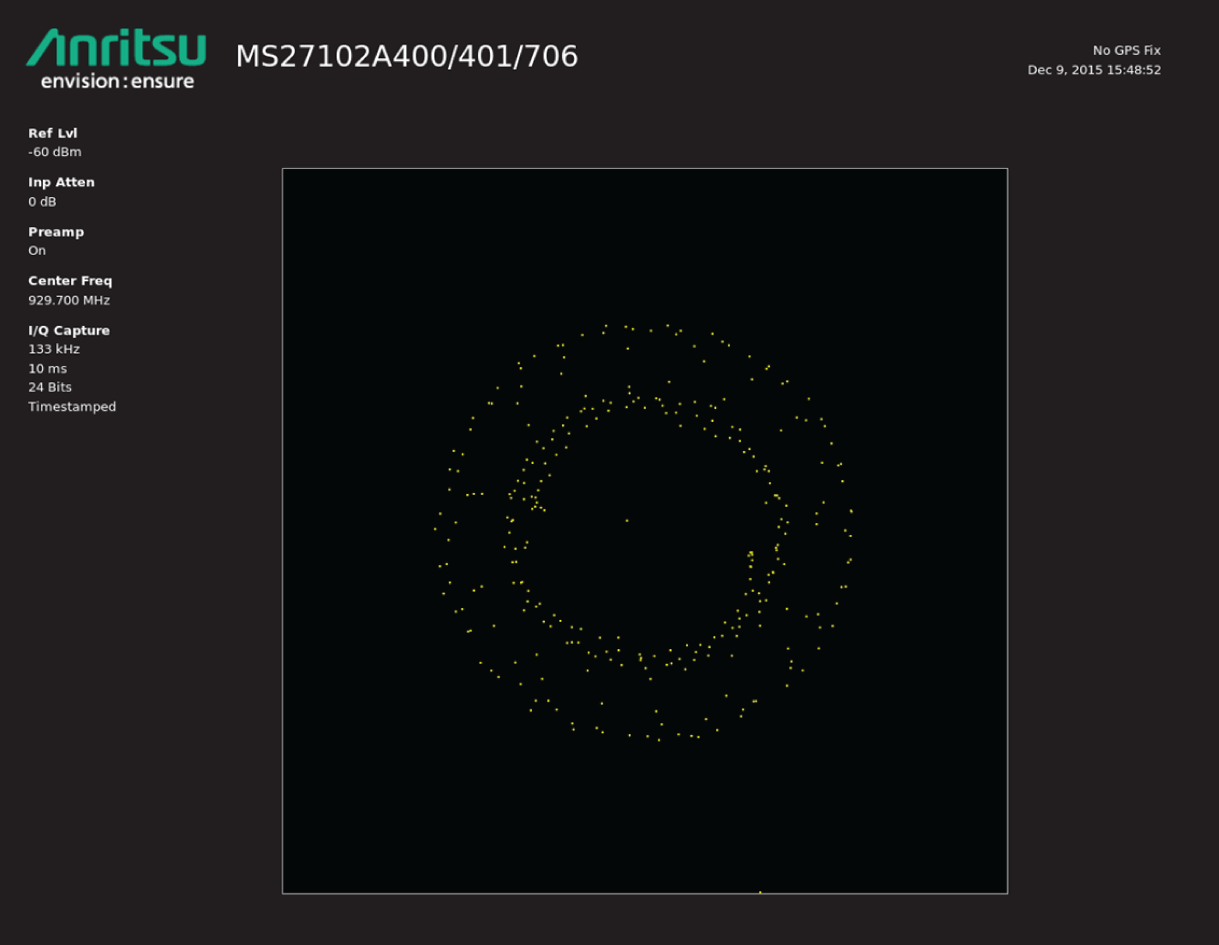
IQ capture attains the magnitude/phase or real/imaginary raw data components of a waveform and either saves the data to a file on internal or external USB storage media, or streams the data out of the Data, USB, or Ethernet ports. Select the IQ Capture tab to configure the parameters for IQ Capture and to view captured data in the Data Display.
IQ Capture Tab
Configure the following IQ capture parameters to execute a capture. For more on IQ data, format, and structure, see I/Q Data.
IQ Bit
This sets the grid resolution for the display. Select the desired value from the pull-down list. The higher the number, the more positions the sample data (dots) can be in.
IQ Bandwidth
IQ Bandwidth is the rate of data to be collected for the duration of the IQ length. Select the desired value from the pull-down list.
IQ Length
This is the duration of the waveform capture. The GUI and data window can only display 1000 samples or data points. To view the additional data samples, click on the Download full IQ data in CSV format link to save the file. The maximum allowable capture period is 10 seconds.
Start Capture
Press this button to execute a capture.
Note
Confirm that the SCPI port is not in use. The SCPI port is used during IQ Capture because of the large amount of data being collected. A red notice will appear if the data capture is interrupted. “Resource unavailable. Is somebody using the SCPI Port?”
Vector Signal Analysis
IQ data can be captured for Vector Signal Analysis. The RSM must have Option 128 installed and non-formatted data can then be captured using the Anritsu MX280005A Vector Analysis Software to perform the modulation analysis. Formatted data captured with an RSM may not be supported by MX280005A. See the MX280005A User Guide (10580-00475) for a detailed description of the Vector Signal Analysis software operation and performance.
Download full IQ data in CSV format
Click this link to download all of the captured data into a CSV format file. The file is titled traceIqData.csv and saved to the Download folder.
Note
Information in the Instrument Setting Summary updates only after a capture has been completed.