MX280001A Vision™ Remote Spectrum Monitor Software : General Information : Installing Vision : Installation Procedure
 
Installation Procedure
1. Download Vision to the PC from the Anritsu MX280001A product page:
https://www.anritsu.com/en-us/test-measurement/products/mx280001a
Note 
In order to install Vision, Microsoft .NET 4.8.1 must be installed on your PC. If .NET 4.8.1 is not present, the Vision installer will prompt you to install this program. The download of Microsoft .NET 4.8.1 is free of charge. Insure that you download the Web Installer version of .NET.
2. Run the installation program.
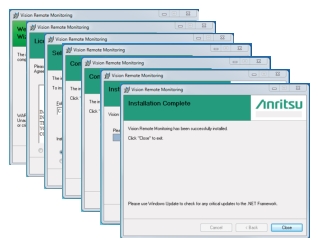
The installation process will include several installation screens as shown in Figure: Vision Installation Screens.
Vision Installation Screens