 |
|
Icon | Description |
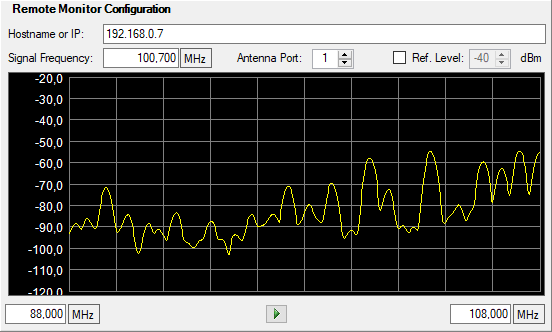
.12.4.2.jpg) | Host name Type the host name of IP address of the remote monitor you want to use. |
.12.4.3.jpg) | Signal Frequency Type the carrier frequency to capture data. |
.12.4.4.jpg) | Antenna Port Type the antenna port on the remote monitor. Range is 1 to 24. |
.12.4.5.jpg) | Ref. Level Check and set reference level (dBm) to selected value from the list. If the Reference Level is unchecked, the reference level is audio-adjusted. |
.12.4.6.jpg) | Stream Audio Stream audio from a selected source. |
Sweep Trace Provides a sweep display graph of the audio streaming. .12.4.7.jpg) |