 |
|
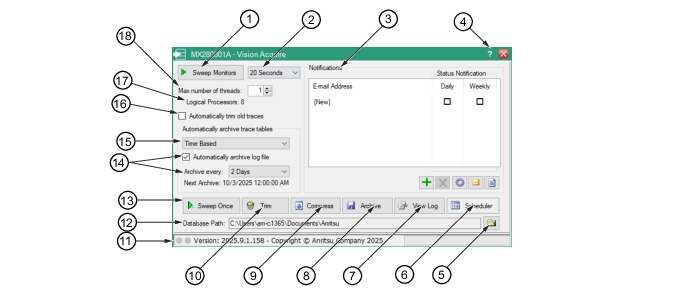 | |
1. Sweep Monitors/Stop Sweeping Button 2. Sweep Monitor Time Setting 3. Email Notification Window 4. Help 5. Open File Folder 6. Scheduler 7. View Log 8. Archive 9. Compress | 10. Trim 11. Monitor Process Status Indicator 12. Database Path 13. Sweep Once 14. Automatically archive log file check box, Archive every/ Next Archive date and time 15. Automatically archive trace tables (Time Based) 16. Automatically trim old traces check box 17. Logical Processors Readout 18. Max number of threads drop-down |