 |
|
Icon | Description |
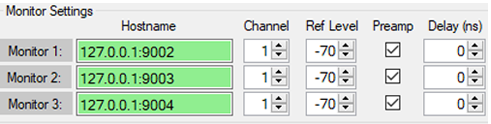
 | Monitor 1,2,3: Identifies each Spectrum Analyzer. Each monitor label is a button. Click each monitor label to display the Monitor Status dialog as shown below. The Monitor Status dialog provides details of each Spectrum Analyzer as shown: 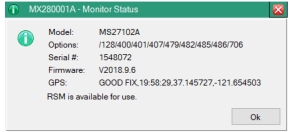 Model: The model of the Spectrum Analyzer. Options: The Spectrum Analyzer options installed. Serial #: The serial number of the Spectrum Analyzer. Firmware: The firmware installed. GPS: Indicates the GPS as GOOD FIX (Strong GPS signal connected). NO FIX (GPS signal is too weak or none found). The Spectrum Analyzer coordinates are displayed. |
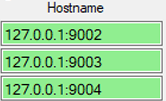 | Hostname Type in the Host name settings. The URL Hostname is the communication link to the spectrum analyzers. |
 | Channel Type or select the Spectrum Analyzer channel. |
 | Ref Level Type or select the Spectrum Analyzer Reference Level. |
 | Preamp Select the Preamp check box to activate the Preamp for each Spectrum Analyzer. |
 | Delay (ns) Type or select a delay time. The delay time selections are in nano seconds. |