 |
|
Check box | Description |
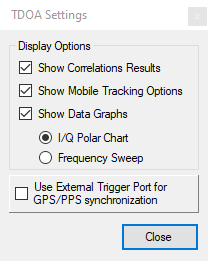
 | Show Correlation Results Click the Show Correlations Results check box to show the Correlation Results window, or click to hide the Correlation Results window. |
 | Show Mobile Tracking Options Click the Mobile Tracking Options check box or click to hide the Mobile Tracker window. |
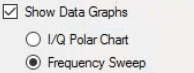 | Show Data Graphs Click the Show Data Graphs check box to show the TDoA and IQ window, or click to hide the TDoA and IQ window. I/Q Polar Chart: Click to toggle display view to an IQ Polar Chart. Frequency Sweep: Click to toggle display view to a Frequency Sweep Chart. |
 | Use External Trigger Port for GPS/PPS synchronization Check this box to use External Trigger Port for GPS/PPS synchronization. |