Parameters List
Refer to
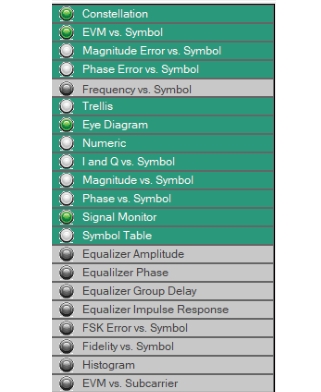
Figure: Parameters List. The View Mode Parameters window displays the data sets available for analysis. A complete listing of the analysis types and their supporting modulation types are shown in
Table: Modulation Type and Result Display.
Green Bar: The modulation type is available for analysis.
Green Radio Button: The modulation type is selected and can be viewed on the measurement display.
The Grayed Bars: Not available for analysis for the selected modulation type.