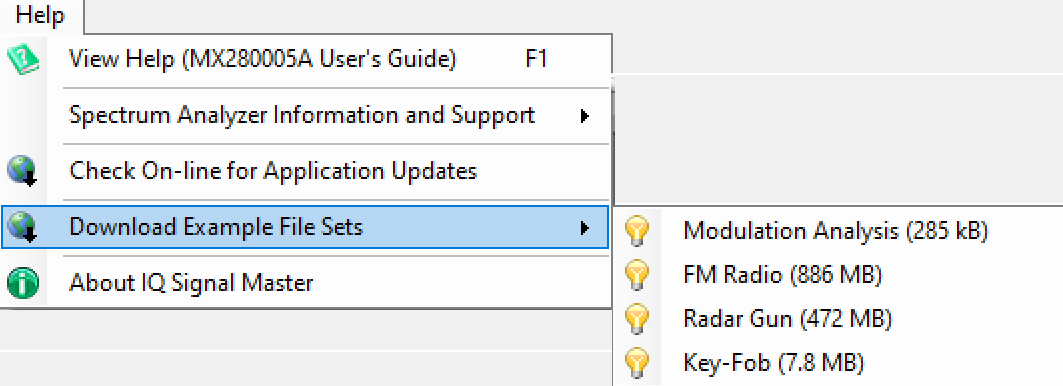
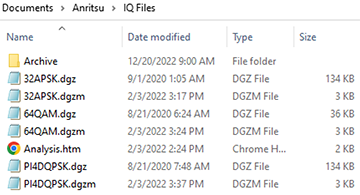
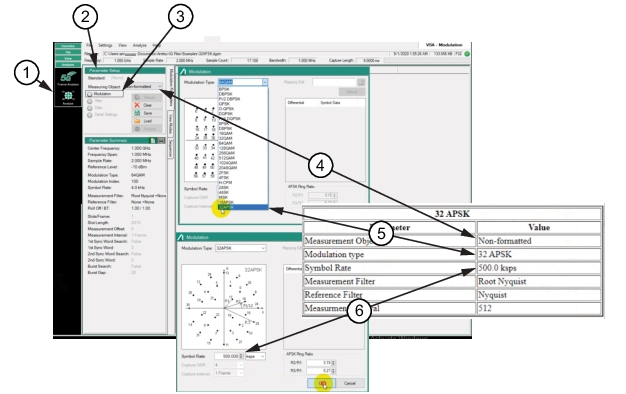
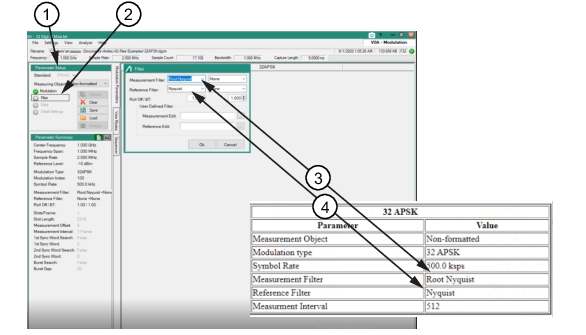
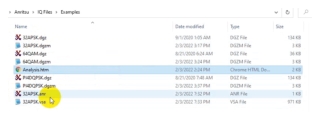
Create a folder to store the Modulation Analysis example file. Click Modulation Analysis opens a Browser dialog. Press OK to download the files into the user created file. Here, the Modulation Analysis example files have been loaded in the folder: Documents >Anritsu > IQ Files as shown in Figure: Download Modulation Analysis. Three file sets are downloaded, the IQ raw data file (.dgz) and metadata file (.dgzm) for each 32APSK, 64QAM, and P14DQPSK file.
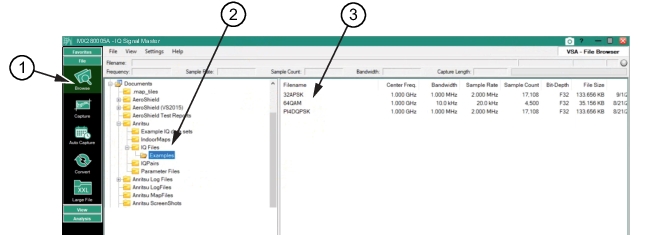
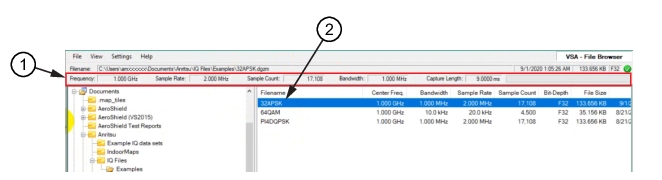
Use the MX280005A IQ Signal Master Browse menu and open the Example folder for the 32APSK, 64QAM, and P14DQPSK files as shown in Figure: Analysis Files.
Analysis Files
1. Browse Menu
2. Example File Folder
3. Analysis Files Types
Load File
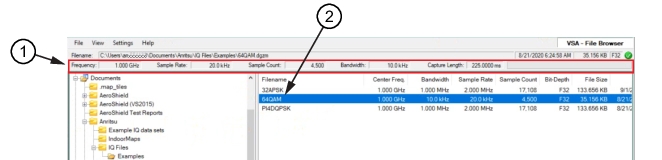
Click the 32APSK file to load it into the analysis program. When loading is complete, the files parameters are shown in the top menu bar as shown in Figure: 32APSK File.
32APSK File
1. File Parameters
2. Select 32APSK File
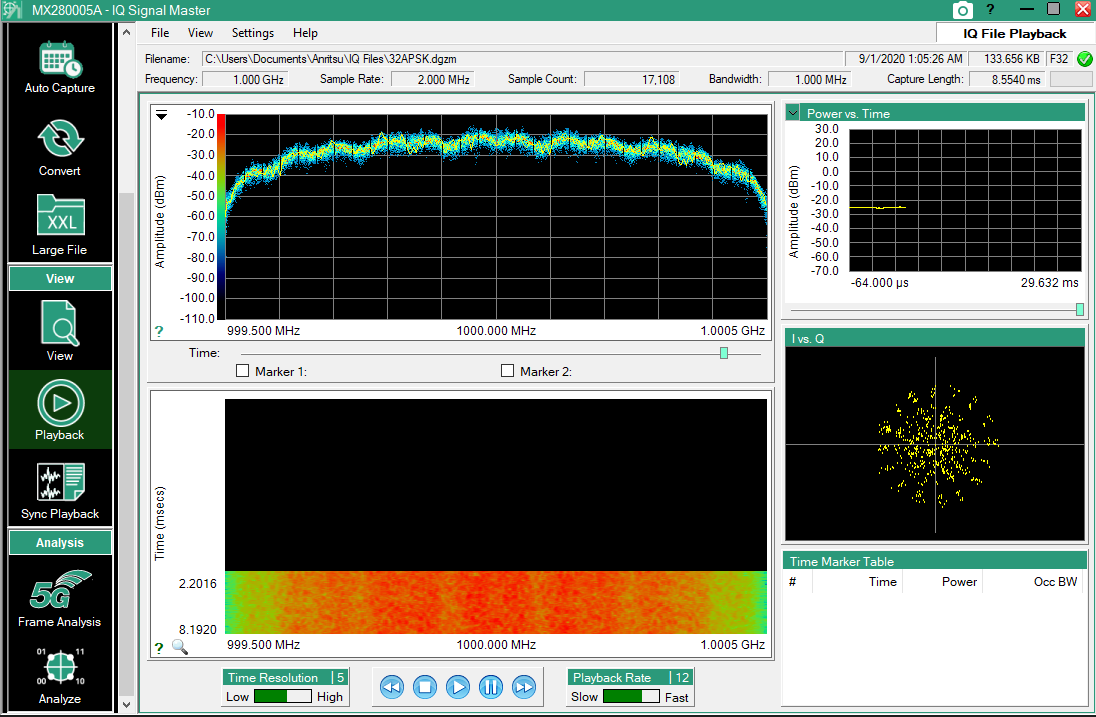
Confirm the loaded file by pressing Playback menu to view the loaded file IQ data as shown in Figure: Playback Menu.
The analysis process has added the 32ASPK.anr and 32APSK.vsa files to the IQ Files Examples folder as shown in Figure: Analysis Files Added. When an IQ file is loaded for the first time, additional processing is required. The (.anr) file stores this information so that subsequent loading is faster. This will be more evident when we work with larger files. The time to process the loading is greatly reduced. The .vsa file is the analysis file that produces the metadata for analysis.
Analysis Files Added
64QAM File Example
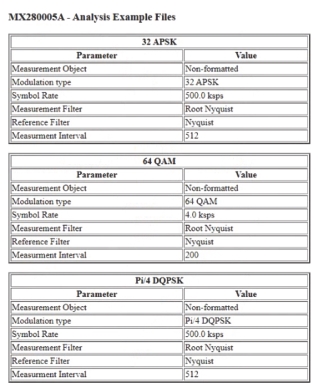
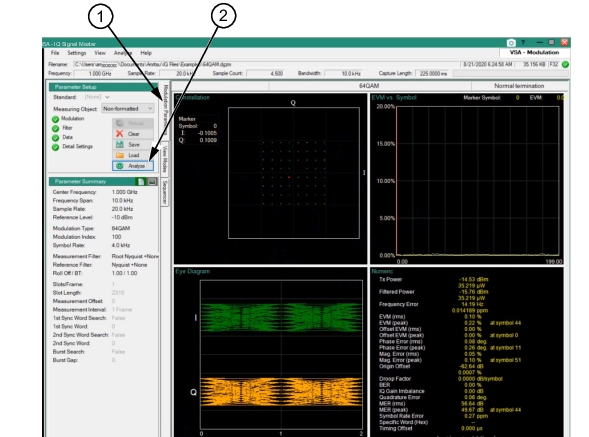
Click the 64QAM file to load it into the analysis program. When the program loads, the files parameters are shown in the top menu bar as shown in Figure: 64QAM File. Set the 64QAM parameters in the same way as the 32APSK parameters, using the parameter values in the 64QAM section of the Analysis.htm information file.