 |
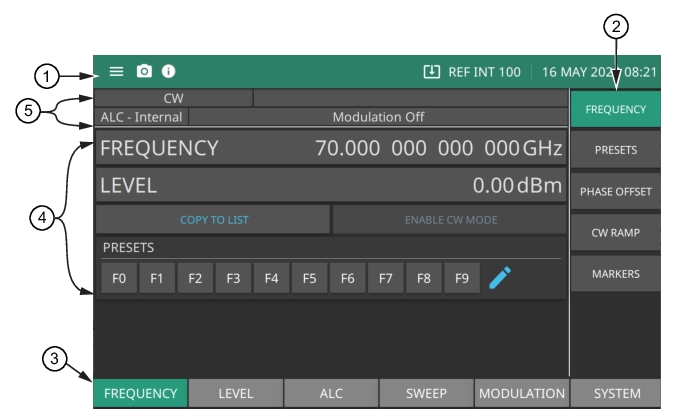
1. See Title Bar. 2. Menus are used to configure the main menu measurement settings: FREQUENCY, LEVEL, ALC, SWEEP, MODULATION and SYSTEM and to enable measurement modes and views. 3. See Main Menu Buttons. 4. See Entering Data. 5. See Status Area. |
|
1. See Title Bar. 2. Menus are used to configure the main menu measurement settings: FREQUENCY, LEVEL, ALC, SWEEP, MODULATION and SYSTEM and to enable measurement modes and views. 3. See Main Menu Buttons. 4. See Entering Data. 5. See Status Area. |