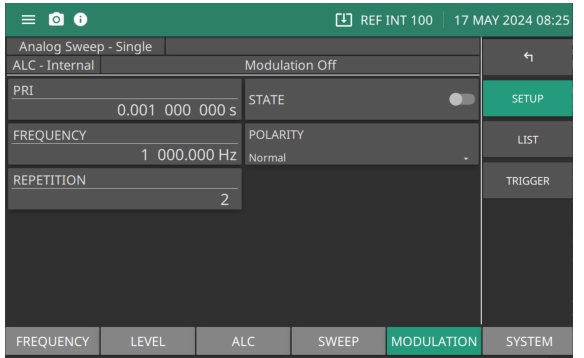
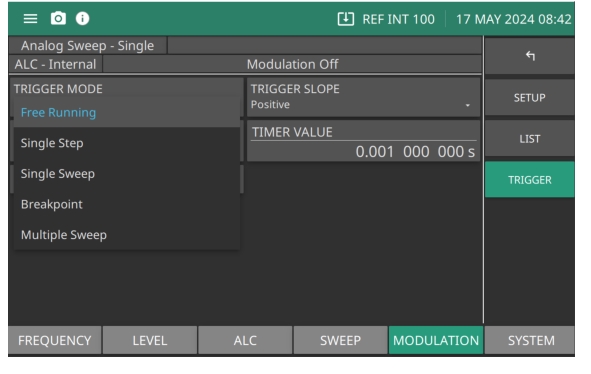
The MG362x1A provides the pulse train generator option to simulate complex pulse radar signals. Pulse train is a file based data entry. Import an external pulse pattern file either from a USB memory stick or pluggable SDIO card. The external file should accommodate pulse pattern entries up to 2048. Each entry has three parameters: Pulse ON (in µS), Pulse OFF (in µsec) and the number of repetitions up to 65,535. The Pulse Train menu is shown in Figure: Pulse Train Menu.
Pulse Train Menu
PRI
Set the pulse repetition interval (PRI) value. Range is 1µs to 42s
State
Set the pulse state to on or off
Frequency
Set the pulse frequency with the pulse repetition to set the PRI. (The number of pulses of a repeating signal in a specific time)
Polarity
Set the pulse polarity as Normal or Inverted.
Repetition
Set the repetition rate. The repetition rate is the number of emitted pulses per second. Range is 2s to 100s
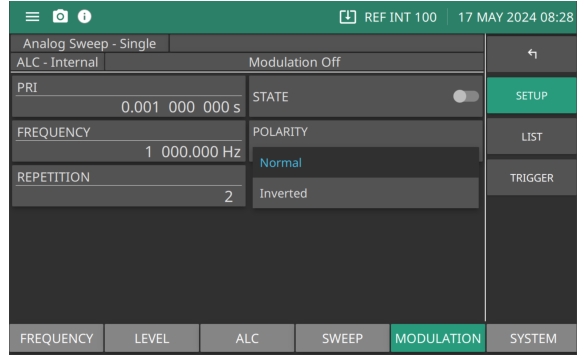
Pulse Polarity
Set the Polarity to Normal or Inverted as shown in Figure: Pulse Polarity. When set to Inverted the polarity has rising edges and slopes becoming falling edges and slopes. As well, falling edges and slopes become rising edges and slopes.
Pulse Polarity
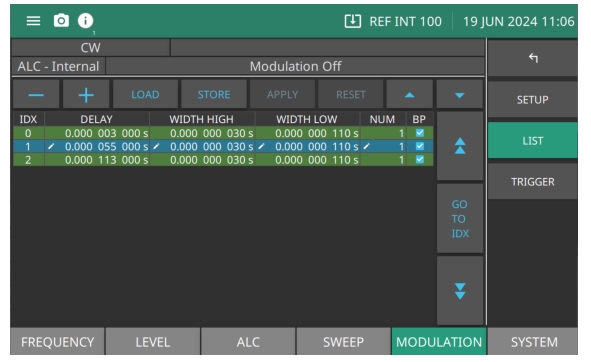
Pulse Train LIST
The MG362x1A supports a file based data entry for functionalities such as List mode as shown in Figure: Pulse Train List Menu, The file format can be imported in to or out of popular spreadsheet programs such as excel. User can edit the entries in the file through the GUI. Each parameter can be edited by selecting the parameter in the list and then entering a value.
Pulse Train List Menu
–
Click an index entry to highlight it as shown and press – to remove the entry from the List
+
Press to add an entry to the list.
LOAD
Press to open the import dialog.
STORE
Press to open the save dialog.
APPLY
Press to apply the pulse parameter settings made in the list.
RESET
Press to discard current edits.
or
Scroll up or down per row.
GO TO IDX
Press double-arrow up to scroll up or double-arrow down to scroll down per page.
Set to single step. Press TRIGGER SWEEP to step forward one pulse step.
Single Sweep
Set to single sweep. Each press of TRIGGER SWEEP sweeps forward one sweep.
Breakpoint
Sets the indices of breakpoints for the pulse burst system. The sweep type must be set to breakpoint for the breakpoints to have an effect. The data should be given as a comma-separated list of ascending indices, starting from 1, and ending at 2047. For example, a breakpoint on 1 will pause before the second burst, and on 2047 it will pause before the last burst.
Multiple Sweep
Add multiple sweep intervals of a set sweep pattern.
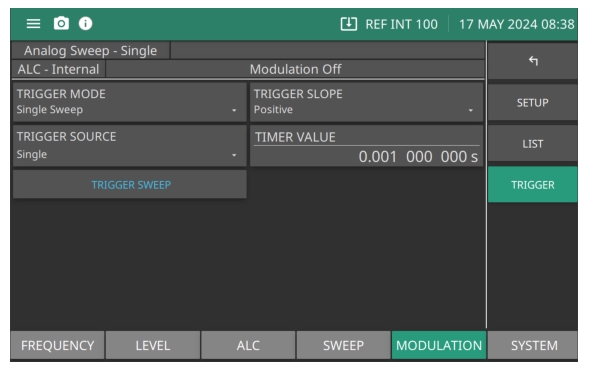
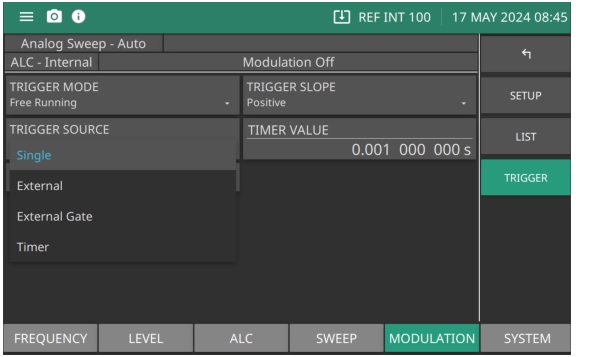
Pulse Train TRIGGER SOURCE Menu
Pulse Train TRIGGER SOURCE menu
Single
Press TRIGGER SWEEP provides a single-burst.
External
Sets the rear panel external pulse input as the trigger when TRIGGER SWEEP is pressed.
External Gate
Press TRIGGER SWEEP sets the external pulse gates of the internal pulse generator on and off. When gated on, the pulse generator produces a single-burst at the internal PRF.
Timer
Controls the delay between pulse burst triggers. Range is 10µsec to 100sec.