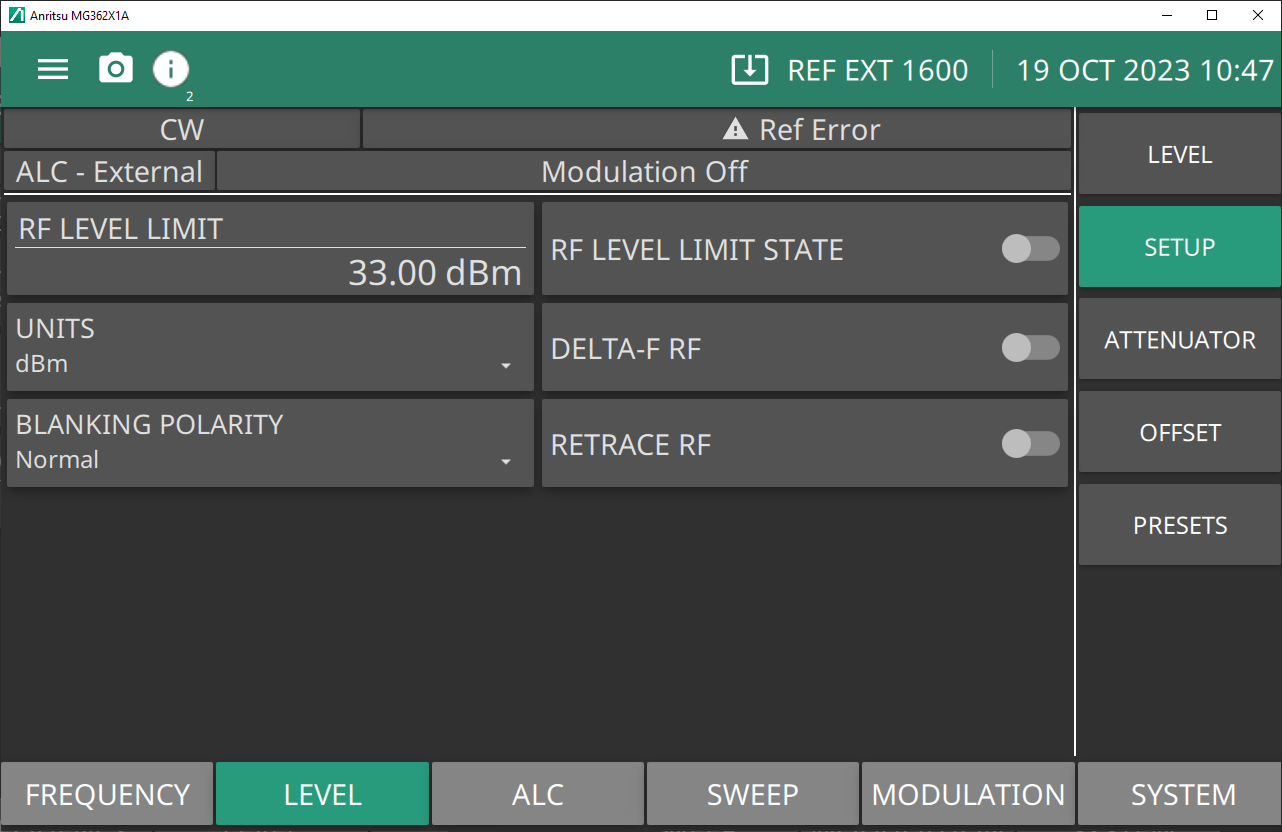
Sets the maximum power level when level limit state is enabled. Range is -130 dBm to 33 dBm with Option 2. Range is –20 to 33 dBm without Option 2.
RF LEVEL LIMIT STATE
When ON, the level status area displays “Limit” or “Lim”.
UNITS
Level units, select dBm, dBµV, mV.
DELTA-F RF
Toggle that controls RF On or Off during frequency switching in CW, Step sweep, and List sweep modes. Toggle Retrace RF Output protection On turns Delta-F RF Off.
BLANKING POLARITY
Selects the polarity of the signal that turns the RF on during pulse modulation, as follows:
Normal: specifies positive-true operation; a TTL-high level will turn on the RF output signal.
Inverted: specifies negative-true operation; a TTL-low level will turn on the RF output signal.
RETRACE RF
Controls the RF output On/Off during retraces. Toggling retrace RF Output protection On turns RF Off during retrace.
Setting RF LEVEL LIMIT
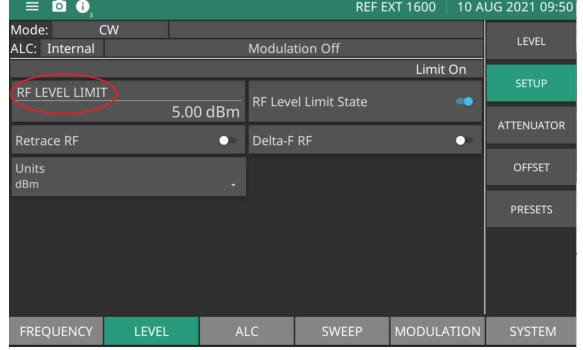
RF LEVEL LIMIT sets the maximum power level when RF Level Limit State is enabled. The RF limit shown in Figure: RF Level Limit State shows the RF Limit Level State toggled on and the maximum achievable RF power level limit clamped to +5 dBm. In this example, the power level settings may be entered at a higher power level value, but the power output will remain at +5dBm until the RF Level Limit State is toggled off.
Press: LEVEL | SETUP | RF LEVEL LIMIT
RF Level Limit State
Setting Retrace RF
Switch Retrace RF to ON sets the RF output off during sweep retrace.
Switch Retrace RF to OFF sets the RF output on.
Setting Delta-F RF
Switch Delta-F RF to select RF on or off during frequency switching in CW, step sweep, and list sweep modes.
Units
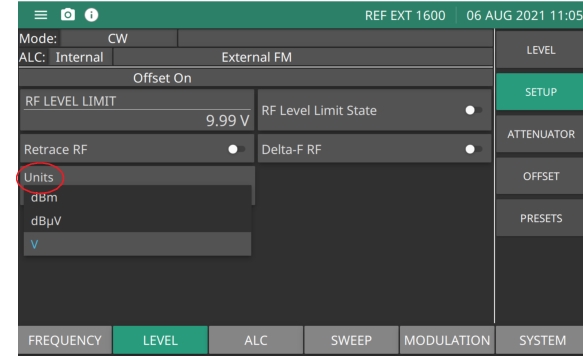
Press Units to show the power level units as shown in Figure: LEVEL SETUP Units Menu. When SWEEP TYPE Log as described in is selected, the units are displayed in dBm or dBμV. When SWEEP TYPE Linear is selected, the units are displayed in mV. The units are displayed with the indicated power level.
Press: LEVEL | Units
LEVEL SETUP Units Menu
LEVEL PRESETS Menu
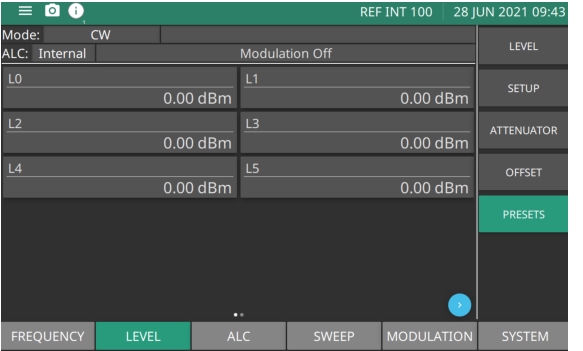
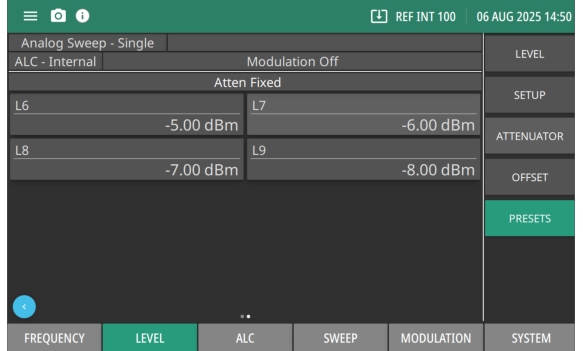
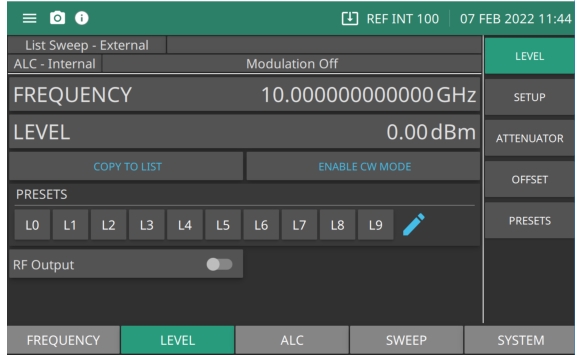
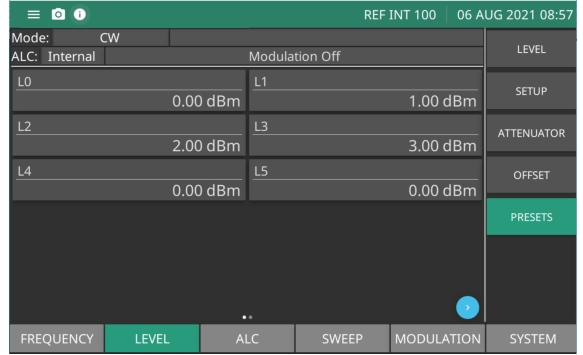
The PRESETS menu provides ten selectable power levels. The Preset menu is shown in Figure: PRESETS Menu - L0 to L5. Page one shows the L0 through L5 settings. Press the page arrow button to show page two and L6 through L9 as shown in Figure: PRESETS Menu - L6 to L9. Press each power setting to edit.
Press: LEVEL | PRESETS
PRESETS Menu - L0 to L5
L0 - L5
Press or scroll to select and edit from ten power level parameters, L0 to L9. Six selectable power levels L0 L5 are available to edit on the first page.
PRESETS Menu - L6 to L9
L8 - L9
Press the page arrow button in the bottom right to view the remaining four power levels L6-L9.
Setting Fixed Power
There are two ways to set the MG362x1A in a fixed power level mode.
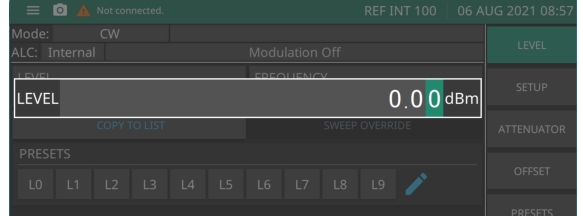
Press the LEVEL button to display the power level edit window. Edit the value using the cursor control keys, rotary data knob, or enter a new value using the keypad and the appropriate terminator key.
Edit Level Parameter
Setting a Preset Power Level
The PRESETS menu provides access to the level list menu.
Press: LEVEL | PRESETS
The PRESETS menu is displayed as shown in Figure: Level PRESETS Menu. Select one of the preset power levels L0 through L9. Edit any power level to set as the output power level.