Rubidiumâ„¢ MG362x1A SeriesLow-Noise RF/Microwave SignalGenerators : Operation Verification : Flatness Test Procedure
 
Flatness Test Procedure
Power flatness is checked by measuring the power level variation during a full band sweep in step sweep mode.
1. Set up the MG362x1A as follows for a step sweep flatness test:
a. Reset the instrument by pressing System Menu | SETTINGS | RESET |RESET ALL. Upon reset, the FREQUENCY menu is displayed with frequency set to default values.
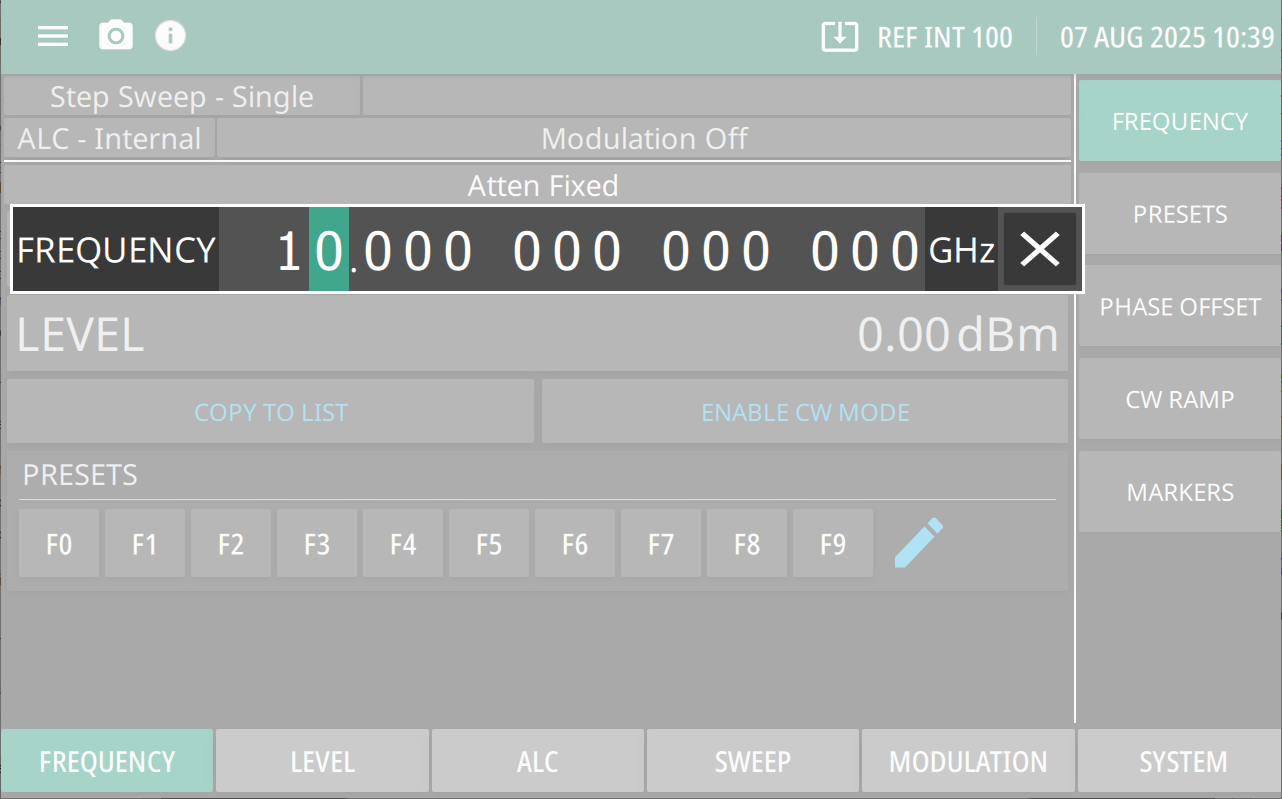
b. Press FREQUENCY button to open the current frequency parameter for editing as shown in Figure: Frequency Menu - Setting CW Frequency.
Frequency Menu - Setting CW Frequency
c. Set the frequency to the CW frequency as shown in Table: Accuracy Test Record.
d. In the same menu screen, press the LEVEL button to open the current parameter for editing and set LEVEL to the maximum specified noted in the data sheet (use a fixed attenuator when measuring s above +19 dBm). Refer to Figure: Frequency Menu - Setting CW Frequency.
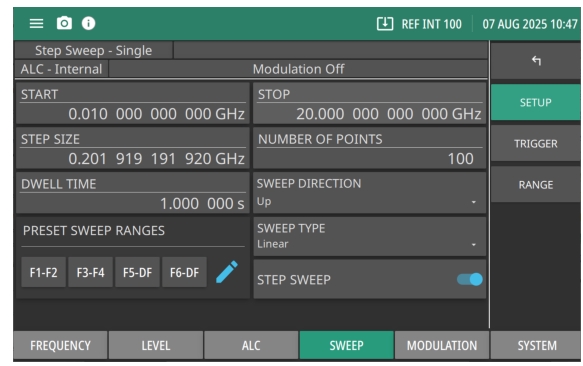
e. Press SWEEP menu and touch STEP submenu as shown in Figure: Sweep Menu - Step (Setup) .
Sweep Menu - Step (Setup)
f. Press START button to set the start frequency to the lowest frequency.
g. Press STOP button to set the stop frequency of the instrument to the maximum frequency for perform full sweep.
h. Set the DWELL TIME to 1 second, or to a time that is comfortable between recordings.
i. Set the NUMBER OF POINTS to 100.
j. Turn on the STEP SWEEP toggle to start sweeping.
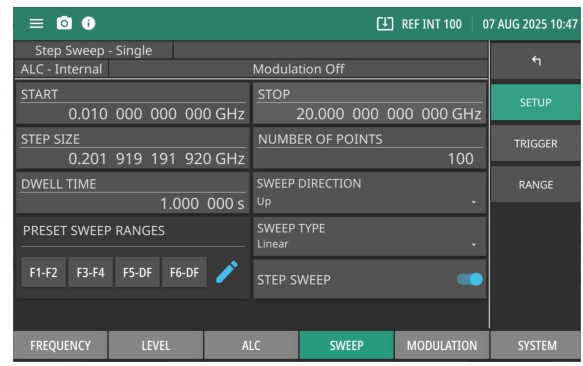
2. Press TRIGGER | TRIGGER SWEEP as shown in Figure: Sweep Menu - Step (Trigger).
 
Sweep Menu - Step (Trigger)
3. As the MG362x1A sweeps through the full frequency range, observe the maximum and minimum power meter readings and record the values on the test record.