 |
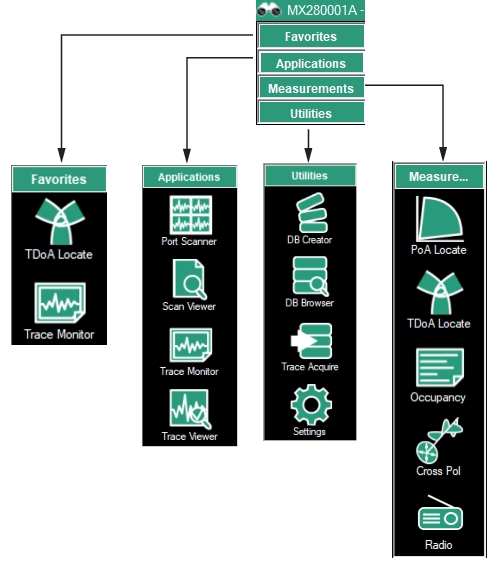
1. Favorites Menu - See Favorites Menu. 2. Applications Menu - See Applications Menu. 3. Utilities Menu - See Utilities Menu. 4. Measurements Menu - See Measurements Menu. |
|
1. Favorites Menu - See Favorites Menu. 2. Applications Menu - See Applications Menu. 3. Utilities Menu - See Utilities Menu. 4. Measurements Menu - See Measurements Menu. |
- 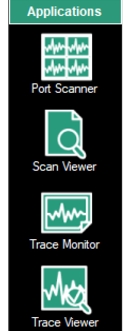 | Port Scanner The Port Scanner quickly monitors the channel power on any number of channels using Anritsu’s Spectrum Analyzer with Option 407 installed. See Port Scanner (Option 407). Scan Viewer Provides tools for viewing saved CPM (Channel Power Measurement) and spectrum analyzer measurement files. CPM files created by the Vision Port Scanner contain many RF sweep traces that include sweeps at multiple frequency bands and from multiple spectrum analyzers. Use File Viewer to review all of the traces in multiple views and explore the data as a set. See Scan Viewer. Trace Monitor View traces stored in the database. Analyzes the database where measurements are collected to show date/time stamped trace information, spectrograms, and intuitive ways to monitor for interference signals. See Trace Monitor/Trace Viewer. Trace Viewer Compare traces between channels. See Trace Viewer. |
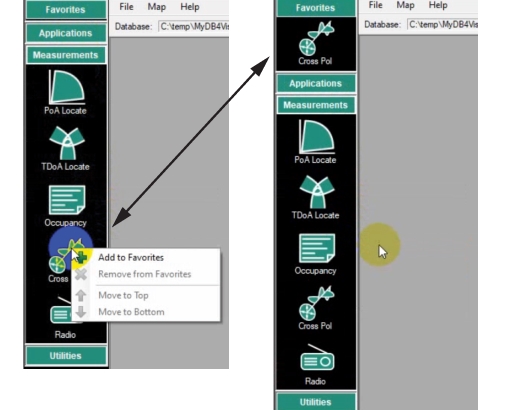
- 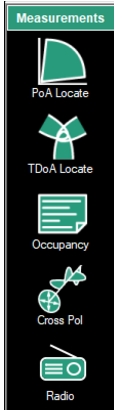 | PoA Locate Locate sources using PoA. See PoA Locate (Option 401). TDoA Locate: Spectrum analyzers positioned in a triangular pattern perform TDoA to identify a stationary signal’s longitude and Latitude coordinates. See TDoA Locate (Option 401). Occupancy: Provides tools to set power threshold levels to determine whether a given frequency channel is to be considered occupied. See Occupancy. Cross Pol: Cross Polarization measurement monitors two antennas measuring the same signal, one turned 90 degrees relative to the other. See Cross Polarization. Radio The Radio Capture file contains the AM/FM Measurements for the spectrum analyzer with Option 400 installed. Displays AM/FM streaming audio. See Radio (Option 400). |
- 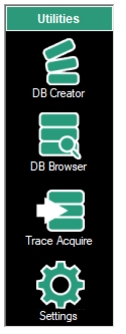 | DB Browser View details and load Vision databases for use in Vision Monitor, PoA Locate and Trace Viewer. See DB Creator. Trace Acquire Stores traces at set intervals, stores results in user location, and provides email alerts when mask violation occur. See Trace Acquire. DB Creator Create a database consisting of base stations, channel setup definitions, and mask definitions for use by Trace Monitor and Vision Acquire. See DB Creator. Settings Database maintenance and system utilities. The Settings and Control Panel provides the user interface tools for signal monitoring. See Settings. |
 |