The PCIe driver is not automatically installed when the MX280005 software is installed, but must be manually installed into the PC.
1. Disconnect power from the desktop PC.
2. Remove the PC cover to access the motherboard and PCIe expansion slots.
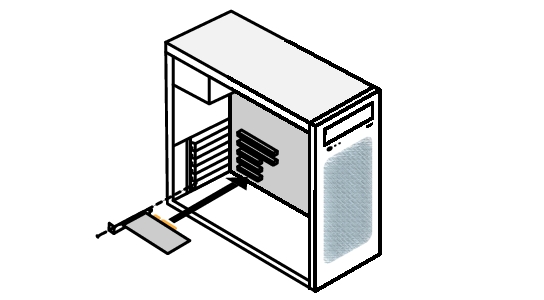
3. Install the PCIe card into an available PCIe slot as illustrated in Figure: PCIe Card Installation. Ensure that the PCIe card is fully seating into the slot.