 |
|
 | Add Adds a new IQ capture parameter set. Press the green plus sign icon to display the Enter/Edit Capture Configuration dialog as shown below. Press Cancel & Exit to cancel. 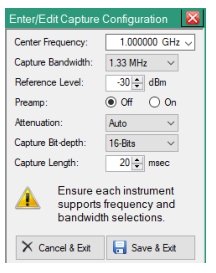 Edit the parameters in the dialog shown above and press the Save & Exit button to add the channel as shown below. 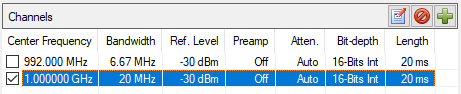 |
-  | Delete: Deletes the selected parameter set. You need to select the channel in order to active this icon. Note that only one channel can be deleted at a time. |
 | Edit Select the channel and press the edit button to display the Enter/Edit Capture Configuration dialog and continue to edit the desired parameter and click Save & Exit. |