-  | Delete Button: Delete the selected remote spectrum monitor. |
 | Add Button Add a remote spectrum monitor to the list. Assure the remote spectrum monitor is from the same product Platform when adding to avoid capture conflicts. |
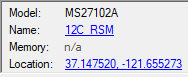 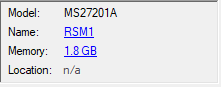 | Remote Monitor Details Double-click a remote monitor in the active remote monitor list to display the monitor’s details. Model The model type of the remote monitor. Name Enter a name of the remote monitor. Double click to display the dialog shown below to type a name of the RSM. 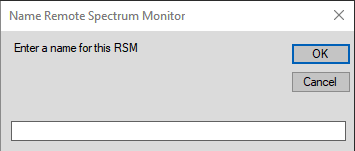 Memory The internal memory space available for IQ file storage on spectrum analyzer. The MS2710xA does not provide any memory for IQ file storage, so the status is displayed as n/a. The MS27210A RSM do have internal memory space alloted for storing IQ capture files as shown in the figure. Click on the memory size displayed to view the IQ capture files stored internally. Location The GPS coordinates of the remote monitor. Double-click to display a user selected map location of the remote monitor. If the instrument is not connected to a GNSS (GPS) antenna or if the capability is disabled the location status will appear as n/a as shown in the figure. |