This section describes how to convert a file captured on an MS2090A signal analyzer and convert it to .WVD format and then export it to an MG3700 series signal generator. (WVD is the MG3700 default native format)
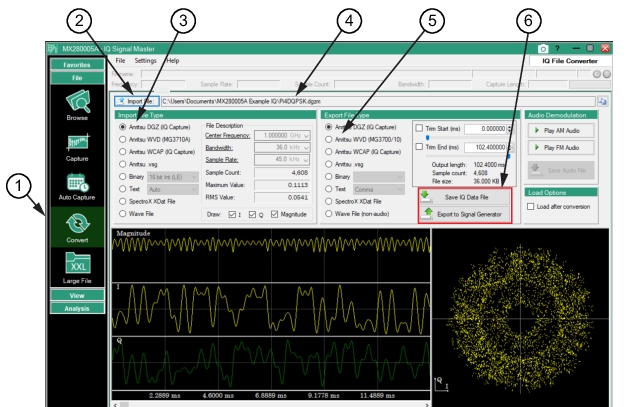
Use the Convert menu to display the Import/Export menus as shown in
Figure: Convert Menu.
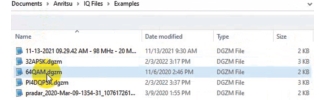
Because of the variety of files that can be used in the Convert menu, the top portion of the Convert window is grayed. To import a file for this example, open the 64QAM.dgzm file that is included in the sample files described in the
Modulation Analysis.
Connect MS2090A Field Master Pro (or Remote Spectrum Monitor) to a MG3700 series signal generator.
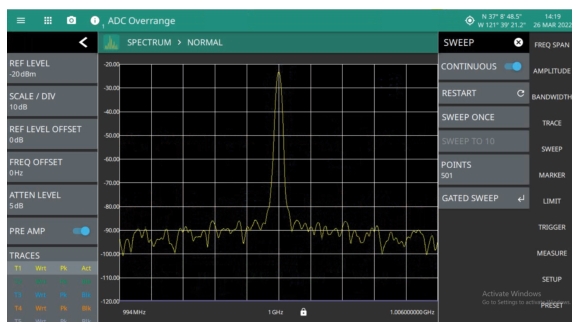
During the transfer process, the captured signal on the MS2090A is converted to a file that can be played back on the MG3700 signal generator. Therefore, the FSK signal on the MS2090A shown in
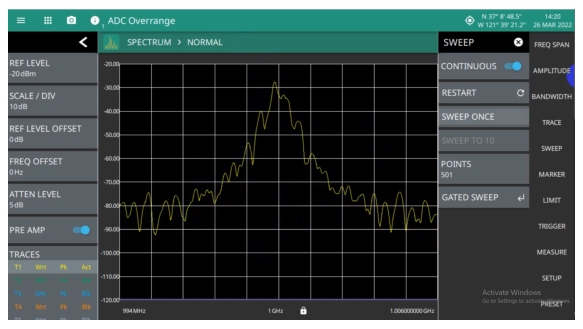
Figure: Export MS2090A DGZ File is converted to a file that can be played from the MG3700 and is displayed on the MS2090A as shown in
Figure: Import MS2090A WVD File. The conversion is complete.