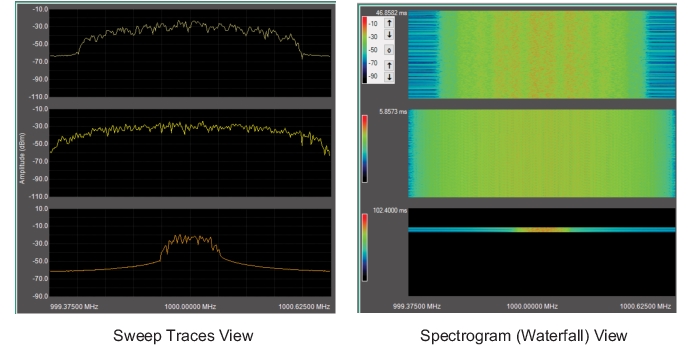
Set the display to show the Sweep Traces view or Spectrogram view as shown in Figure: SyncPlayback Display Mode Views. Spectrogram view provides a heat map scale and controls as described below:
SyncPlayback Display Mode Views
• Use the top pair of arrows to adjust reference level color mapping.
• Use the bottom pair of arrows to adjust the reference scale color mapping.
• Press the “0” button to reset the display to full scale (0 to -100 dBm).
Set Offset from Time Stamps
Press to use embedded time stamps to set playback offsets.
Clear Playback Offsets
Press to reset all playback offsets to zero. When synchronizing signals, setting the offsets to zero provides a synchronized offset starting point,