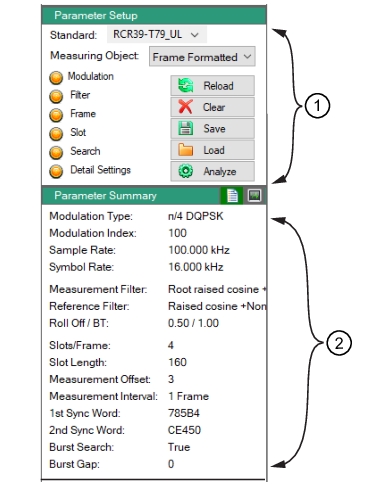
Select a Standard predefined setup. For
Figure: Parameter Setup, template RCR39-T79_DL template is selected. The Parameter Summary parameters are populated as shown in
Figure: Parameter Setup. Here, the
Modulation Type π/4 DQPSK parameters are displayed for this template. For a complete listing of the predefined parameters and their parameter settings, see
Predefined Parameter Settings.
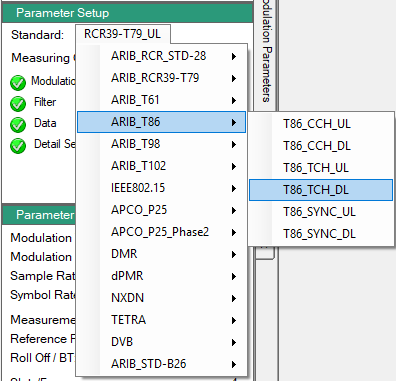
Standards files are ‘read-only’ parameter files. The default screen displays the Standard template button as (None) as no settings have been selected. Once the Standard template button is pressed, a list of predefined templates are displayed as shown in
Figure: Standard Predefined Templates. The selected Standard template title replaces (None).