 |
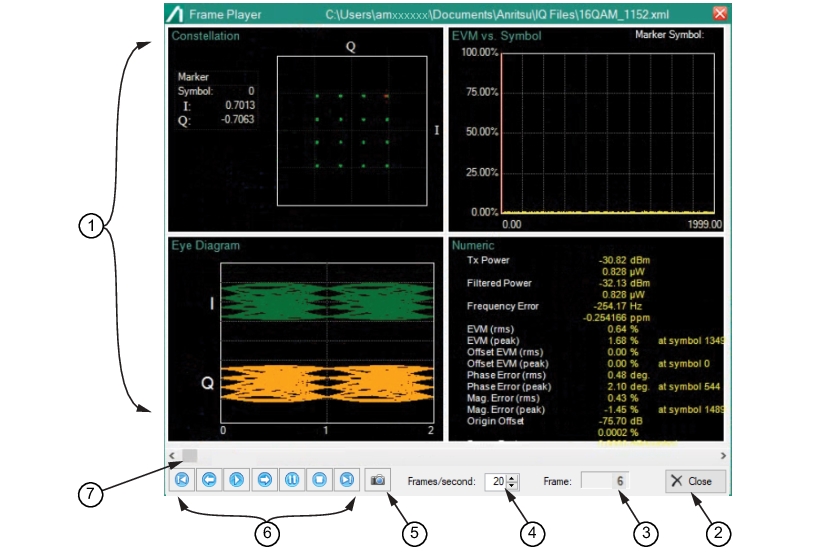
1. IQ Measurement Screens: All screens are available selected from View Modes Tab. 2. Close Button: Close the Playback window. 3. Frame Count: Displays the frame count of the signal. Use the scrollbar to locate a point of interest and note the Frame number to reference a location. 4. Frame Speed Per Second: Playback speed control. 5. Capture Screen to Clipboard: Press to capture the Playback window display to the Microsoft clipboard. 6. Playback Controls: Typical video controls. 7. Scrollbar: Use to scan signal for points of interest. The Frame count window tracks the scrollbar. If a signal of interest was noted as occurring at a particular frame count, the user can move the scroll bar to the frame count noted and view the parameters of each EVM window displayed. |