 | |
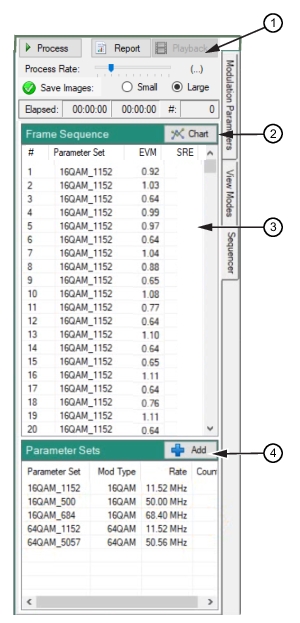
1. Sequencer Toolbar 2. Chart Button 3. Provides signal analysis results of the parameter sets 4. Add a parameter set to the Parameter Sets list |
| |
1. Sequencer Toolbar 2. Chart Button 3. Provides signal analysis results of the parameter sets 4. Add a parameter set to the Parameter Sets list |
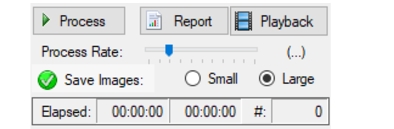 |
 | Process: Process the loaded IQ data file to produce a sequence of demodulated frame results. |
 | Report |
 | Playback |
 | Process Rate Adjust the slider to view frame count activity. Set the slider to left-most for maximum frame count. Faster rates are achieved by skipping ahead in the data set. Only the slowest setting processes all data in the IQ capture file. |
 | Save Images Check to save each frame that is processed.  Small: Saves small image size (640 x 480) pixels Large: Saves large image size (1024 x 768) pixels |
 | Elapsed Elapsed time for fame sequencing  Timer 1: Tracks the elapsed time of frame sequencing. Timer 2: Tracks the remaining time of frame sequencing. #: Tracks the number of frames sequenced in a file. |
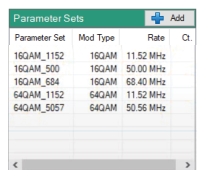 |
 | Add: Press to browse files in a user selected sets folder. Add a set or sets to the list for analysis. |
 | Parameter Set This column displays the loaded parameter set. |
 | Mod Type This column displays the sets mod type. |
 | Rate This column displays the signal rate of the set. |
 | Ct This column displays the number of frames found in the file that fits best with the given parameter set. The count number increments as the file is processed. |
 |
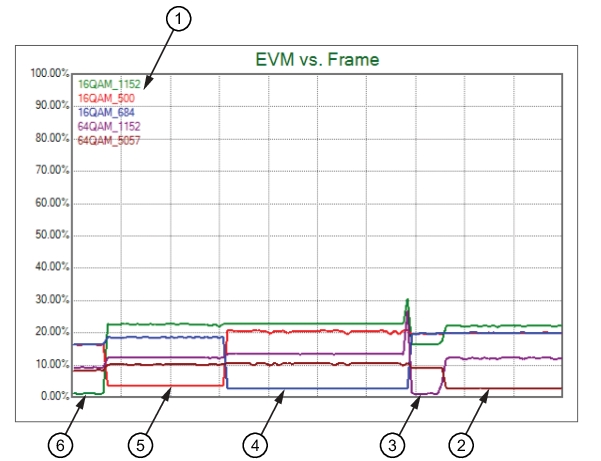 |
1. List of Parameter Sets 2. Set 64 QAM 5057 - Low Point 3. Set 64 QAM 1152 - Low Point 4. Set 16 QAM 684 - Low Point 5. Set 16 QAM 500 - Low Point 6. Set 16 QAM 1152 - Low Point |
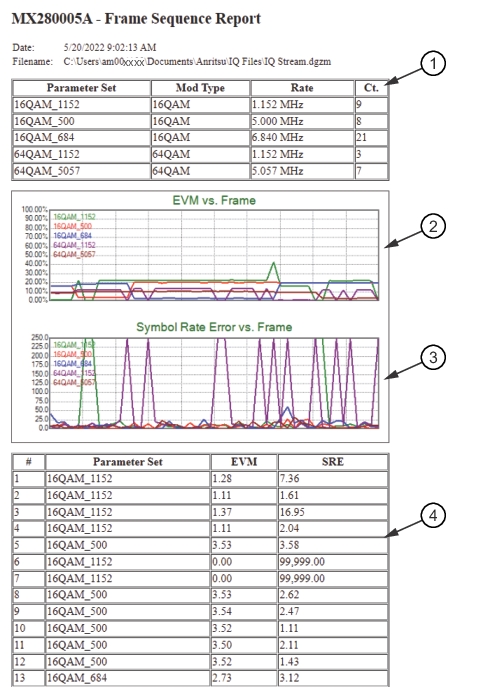 |
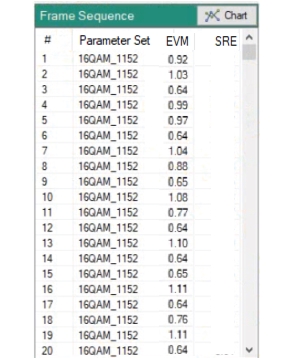
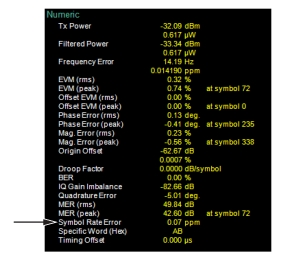
1. See Parameter Sets. 2. See EVM vs. Frame. 3. See Symbol Rate Error vs. Frame: The Symbol Rate Error is a calculated parameter in the analysis. See Symbol Rate Error. 4. See Frame Sequence. |
 |