Scan Viewer Program
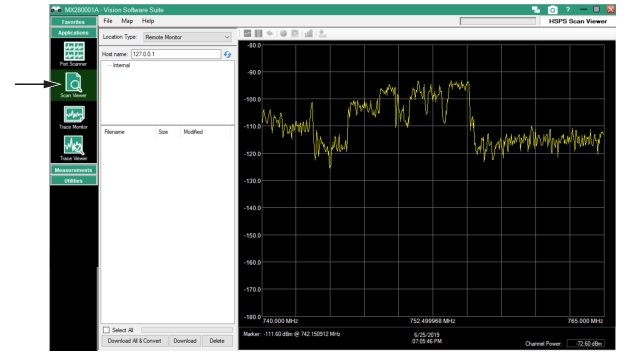
Open the Scan Viewer as shown
Figure: Scan Viewer to view saved spectrum analyzer and CPM files.
•
•
There are three user interface types:
Hardware Monitor
View a current spectrum analyzer file. See
Remote Monitor .
Local Measurement Folder
View spectrum analyzer files from a folder on a local drive. See
Local Measurement Folder .
CPM Measurement File
View CPM files from a folder on a local drive. See
CPM Measurement File .
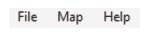
Scan Viewer Menu Bar
The Scan Viewer Toolbar is described in
Table: Scan Viewer Toolbar Description .
Scan Viewer Toolbar Description
Menu
Description
File
Open CPM Measurement File
Opens the Channel Power Scanner (.cpm) file folder that has been created by the user. Once created, the Scan Viewer program will continue to open this folder location until the path is changed by the user.
Refresh File List
Click to refresh the
Monitor File List .
Lock Remote File Delete
Provide Password Protection. See
Password Protection below.
Exit
Exit the File menu.
Map
Load Map
Load a customer selected map to the screen.
Existing Maps
Load a map from an existing map folder.
Help
Help
1-800-ANRITSU
10450-00062, Rev. N