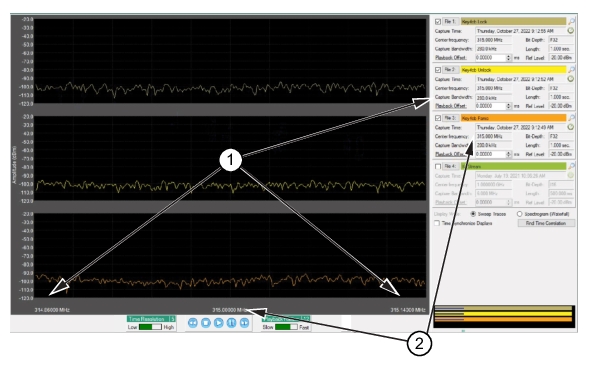
The display window shows the data files from each of the listed files in the right column. Note that the top three use a 315 MHz center frequency and the fourth center frequency is set to 1.0 GHz. In this example, the synchronization will use the top three listed signals as the fourth is not using the same center frequency and will not be evaluated or synchronized with the top three.
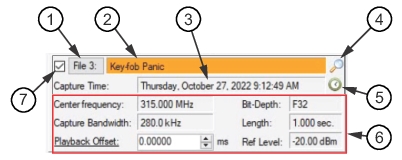
The frequency and capture bandwidth of the displayed signals are required to be as close as possible in order to perform a synchronization. Use the listed files and their parameters column to synchronize the signals.
Displays the capture bit-depth value as described in Finding the Offset.
Length:
Displays the data length value. This value is not adjustable from this menu.
Ref Level:
Displays the capture reference level value. This value is adjustable from this menu. Hover over the Ref. Level value. An “up-down” arrow appears over the value. Roll the mouse wheel to adjust the value. This tool can be used to adjust the display signal level if part of the signal is out of range when viewed.