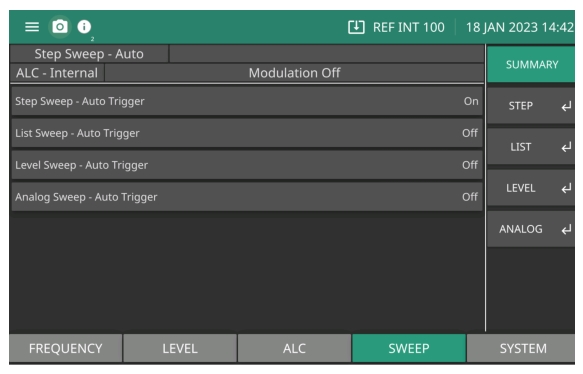
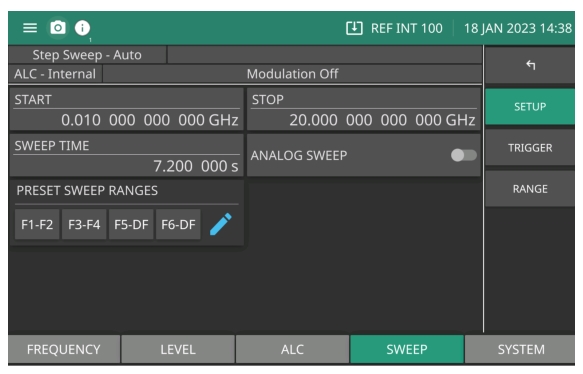
The SWEEP Menu provides the MG362x1A Sweep On or Off status for Step Sweep, List Sweep, Level Sweep and Analog Sweep. Note the status bar displays CW when the Sweep menus are all off. Once a sweep menu is selected, the status bar will display the sweep that is selected.
To select Analog Sweep, press the SWEEP menu to display the sweep menu as shown in Figure: SUMMARY Menu.
Analog sweep is available for the MG36221A and MG36241A models. In analog sweep frequency mode, the MG36221A’s output frequency is swept between selected start and stop frequencies. Sweep width can be set from 1 MHz to the full frequency range of the signal generator. Sweep time can be set for any time in the range of 13 msec to 99 sec. The lower frequency limit for analog sweeps is 10 MHz. When Option 6 is installed, CW Ramp and Markers are available. See CW RAMP Menu and Markers Menu.
When the sweep width of the analog sweep is >100 MHz, the sweep is phase-lock corrected at both the start and stop frequencies and at each band switch point. When the sweep width is ≤100 MHz, only the center frequency is phase-lock corrected.The ANALOG SWEEP menu is shown in Figure: Analog Sweep.