Rubidiumâ„¢ MG362x1A SeriesLow-Noise RF/Microwave SignalGenerators : Instrument Operation : Power Level Operation : LEVEL Menu
 
LEVEL Menu
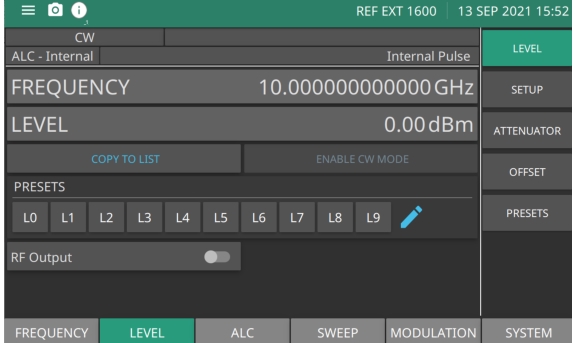
RF Power Level parameters can be set and applied to CW frequencies and Swept Frequencies. From the main menu press LEVEL to view level menu parameters as shown in Figure: Level Menu.
Level Menu
LEVEL
Press to edit the power level. Range is -130 dBm to 33 dBm with Option 2. Range is –20 to 33 dBm without Option 2.
FREQUENCY
Press to edit the CW frequency. Range is same as described in Figure: STEP - SETUP Menu.
COPY TO LIST
Copies the set frequency and level parameters to the LIST menu. See COPY TO LIST.
ENABLE CW MODE
To enable this button turn on the corresponding sweep toggle of the Sweep menu parameters, see Frequency Sweep Operation for more information. Press to stop a sweep. When pressed, CW mode is enabled.
PRESETS
Press to edit a LEVEL in the Presets list. Press the pencil icon to edit an F0 - F9 preset level. See the LEVEL PRESETS Menu.
RF Output
Toggle to turn RF on or Off.
Editing CW Power Level
To select a CW power level for output, edit the current power level, enter a new power level, or select one of the preset level parameters from the PRESET menu. Set MG362x1A in the CW level mode from the main menu:
Press: FREQUENCY |LEVEL
or
Press: LEVEL | LEVEL
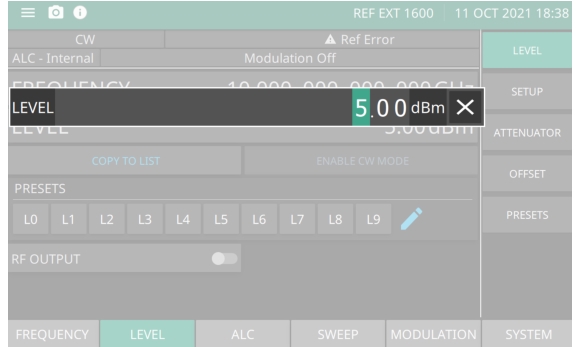
Press the LEVEL field in the display. The edit window is displayed as shown in Figure: Power Level Entry. Enter and new CW power level or edit the current power level using the cursor control keys, the rotary data knob, or the front panel keypad and the appropriate terminator button. If a parameter was selected in error and no editing is required, click outside the active window or click a terminator to close.
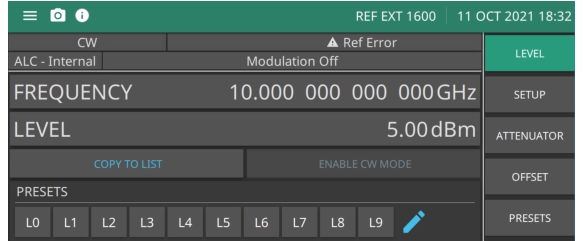
Once a CW power level has been entered into the field, press a terminator button and then press outside the edit window to show the power level in the LCD display as shown in Figure: Power Level Entry.
Power Level Entry
Power Level Entered