 |
|
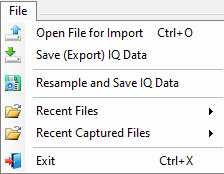 | Open File for Import Open the file browser to import a file. Save (Export) IQ Data Save most export files using the Microsoft save dialog. The Anritsu WVD (MG3700/10) export file types display the dialog below. Enter a pattern name and if required, type a sample rate to numerically manipulate the data to change the sample rate through interpolation and perform a resample of the IQ data and save it. The terminators are Hz, kHz, MHz, and GHz. 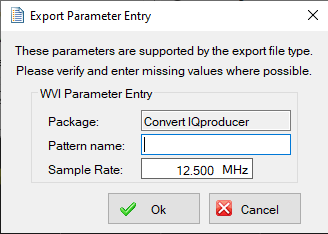 Resample and Save IQ Data Displays the dialog below. If required, type a sample rate to numerically manipulate the data to change the sample rate through interpolation and perform a resample of the IQ data and save it. The terminators are Hz, kHz, MHz, and GHz. 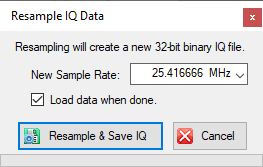 Recent Files Displays the last file sets opened. Recent Captured Files Displays the most recent Capture file sets. Exit: Exits the program. |